
Case study · E-commerce
TukTakCart: an online store and admin panel, built in 10 days
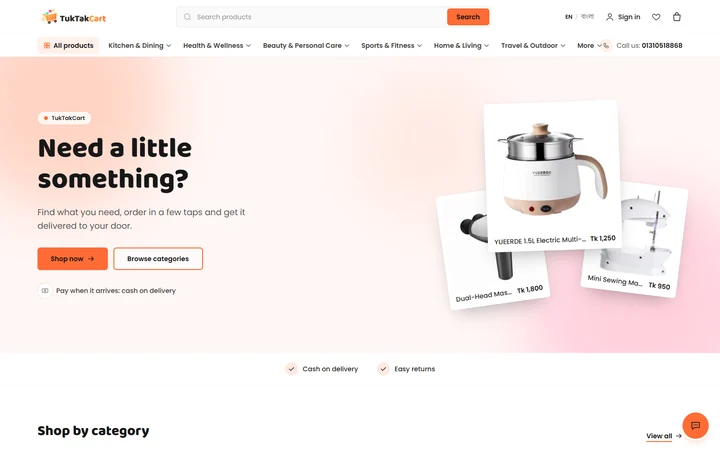
TukTakCart is an online shop for everyday gadgets, kitchen tools and gifts in Bangladesh. We designed and built all of it: a fast storefront in English and Bangla, and an admin panel the shop's team uses to run the store without a developer.
At a glance
- 10 daysfrom the first commit to the store you see today
- 2 languagesEnglish and Bangla on every page
- 482 testsrun automatically before each release
- 2.7× fasterpages after AI-guided tuning: 783 ms down to about 285 ms
The brief
A shop that works on a phone, in two languages, with cash on delivery
Most TukTakCart shoppers find the shop through Facebook ads and arrive on a phone. Many prefer Bangla, and they pay in cash when the parcel arrives.
So the store had to load fast on mobile data, read naturally in both languages and turn an ad click into an order in a few taps. Behind it, the team needed one place to add products, confirm orders, pack parcels and see what sells.
What it had to do
- Work on a phone first, in English and Bangla
- Take cash-on-delivery orders, with checks on Bangladeshi phone numbers
- Let the shop team run everything from one admin panel
- Get found on Google, product by product
The storefront
Made for shoppers on their phones
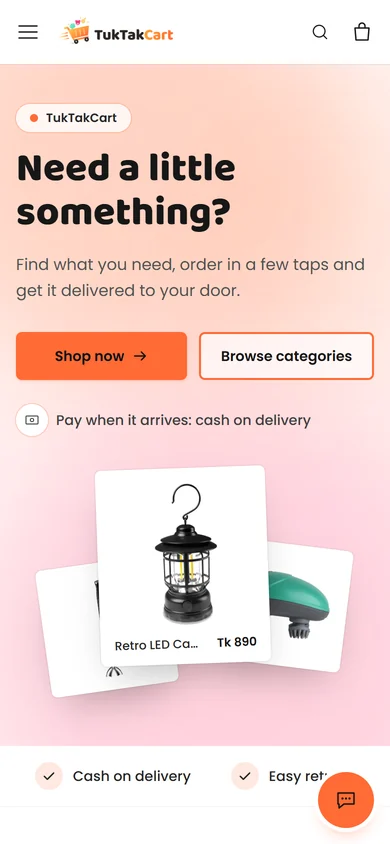
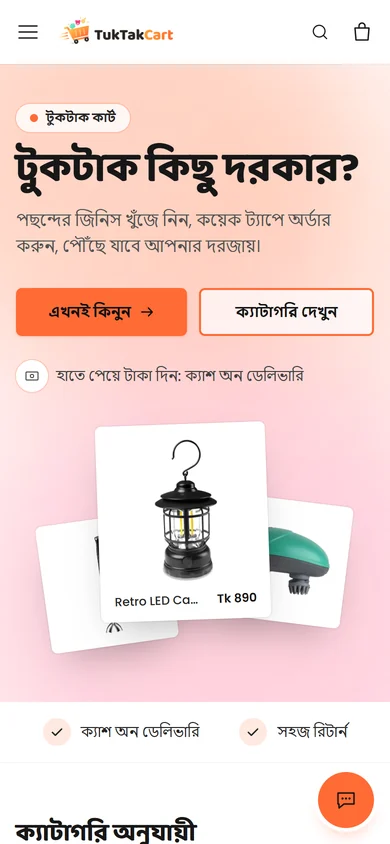
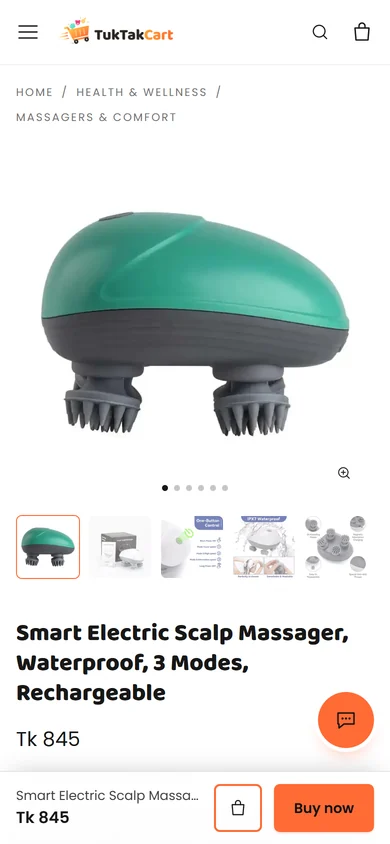
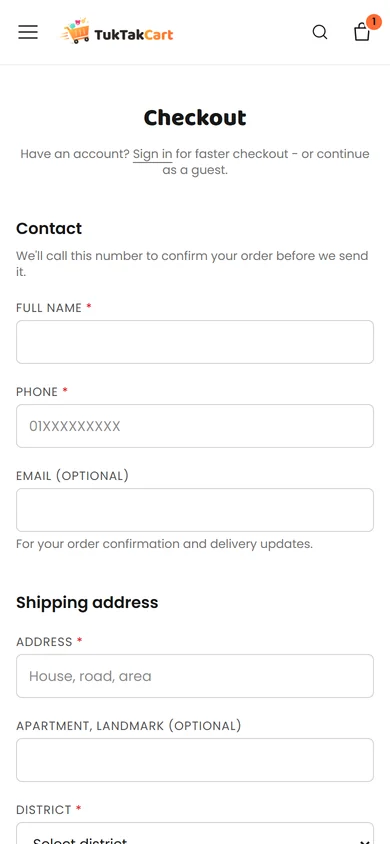
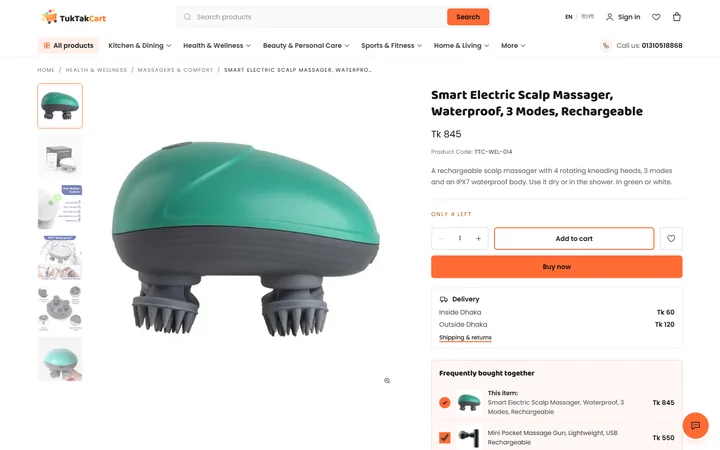
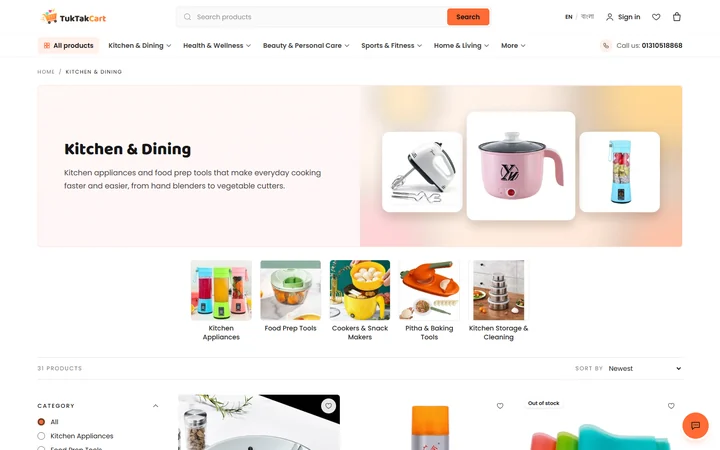
Every page is made for a small screen first, then grows for a laptop.
What shoppers get
- English and Bangla versions of every page, one tap apart
- Category pages with filters for price, brand, size and specifications
- Product pages with photo zoom, video, variants with live price and stock, and delivery fees by area
- "Frequently bought together" and "Similar products" suggestions
- A slide-out cart, wishlist, coupons and a free-delivery progress bar
- Checkout as a guest with cash on delivery, and an email when the order is received, confirmed and shipped
The admin panel
An admin panel the team runs every day
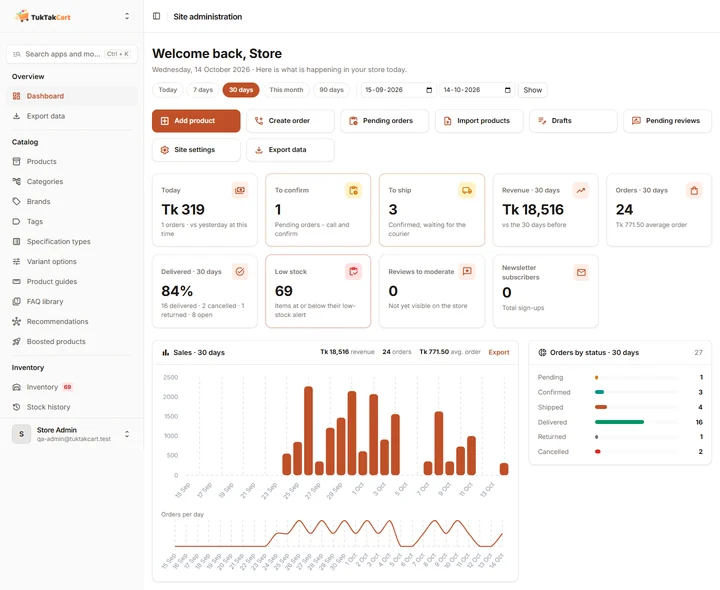
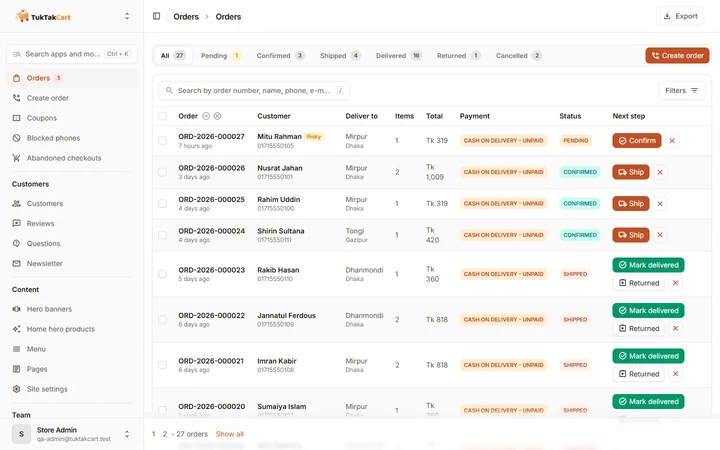
Built on Django's admin with the Unfold theme, then shaped around how a small shop really works.
What the team gets
- A dashboard with sales, orders per day, delivery and cancel rates, top sellers and low stock
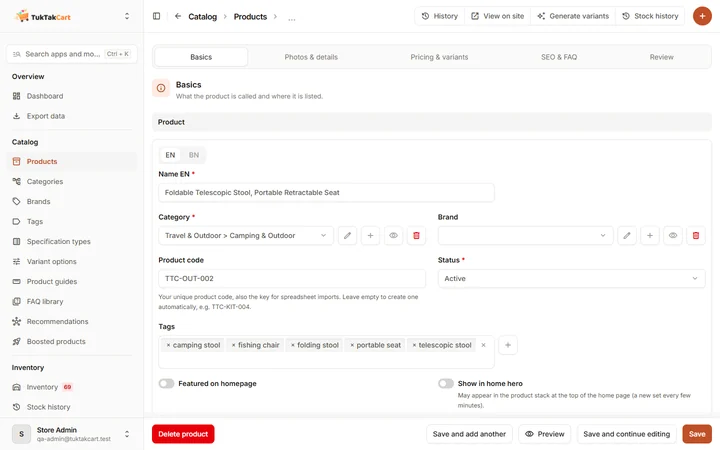
- A step-by-step product editor in English and Bangla, with a variant builder for sizes and colours
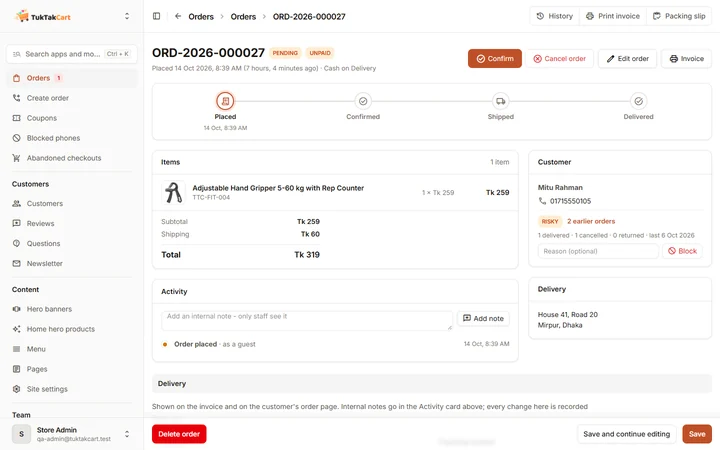
- Orders move from Confirm to Ship to Delivered, and the stock updates itself
- A risk badge from each phone number's order history, and a blocklist, to cut fake COD orders
- Orders taken by phone or Messenger, with printable invoices and packing slips
- Coupons, six sales reports, Excel import and export, and staff roles with their own permissions
- New-order alerts in the browser, and a Ctrl+K command palette
Under the hood
Fast, safe and easy to find
Tuned by an AI agent
Before launch, an AI agent ran speed experiments on the shop's code against a 12-page benchmark with about 1,500 test products, keeping only what helped. Pages went from 783 ms to about 285 ms, and database queries from 353 to 81.
Light pages
Photos are turned into WebP in several sizes on upload, images load as you scroll, and the cart only loads when you open it. No heavy JavaScript framework.
Found by search
Product data Google can read, linked English and Bangla pages, and a sitemap with 222 pages and 820 product photos.
Safe by default
Limits on repeated sign-in and form attempts, shop text cleaned before it's shown, HTTPS everywhere and a locked-down server.
Tested before each release
482 automated tests, plus a scripted check of the whole shop on a separate copy, so real orders are never touched.
Easy to run
The store runs in Docker on a Hostinger server. One command ships a new version, and the database and photos are backed up every night.
Built with
- Python & Django 5.2
- PostgreSQL
- Tailwind CSS
- HTMX & Alpine.js
- Docker & Caddy
- Hostinger VPS
Want a store or an admin panel like this?
Tell us about your project. We typically respond within 24 hours and can start most projects within a week.